
eBook - How to Access First Time?Updated 3 months ago


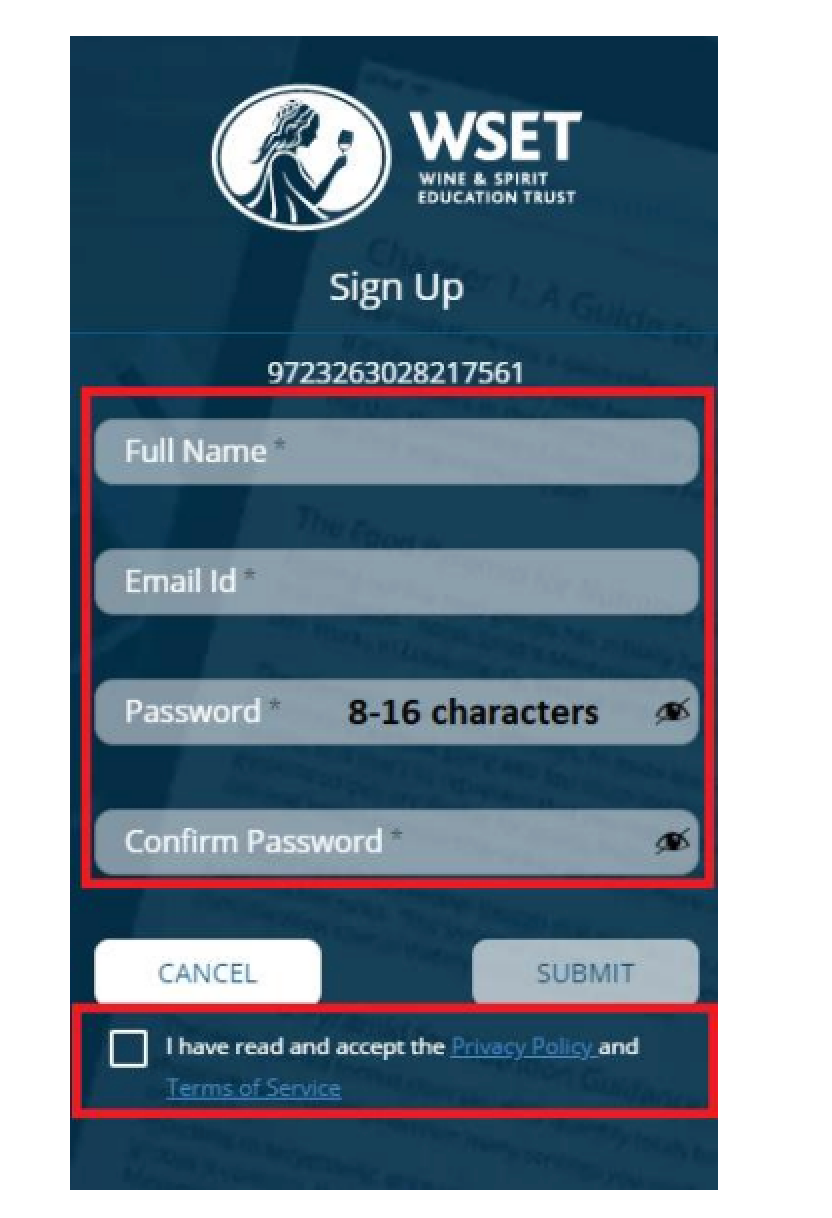
4. We recommend downloading the WSET Reader app for Apple devices or Android devices for easier access next time. This way you can also access the eBook offline e.g. on airplane. Alternatively you can access your eBook with your username and password at https://ebooks.wsetglobal.com
Common Issues and Solutions
Q: My eBook code is "On Order from WSET Global"
A: If your eBook Access code says "On Order from WSET Global", that means we have temporarily run out of inventory. Your unique code will be updated within your learning portal within 3-5 business days. We apologize for the delay!
Q: I don't have eBook code or anything mentioned about the eBook within my Course Welcome / Course Materials section
A: If you don't see the eBook code and a green button for redeeming your eBook within your online course / Course Welcome / Course Materials section, something has gone wrong with our automated order processing. Please, contact [email protected] and our team will assist you during our business hours Monday-Friday within 24 hours.
A: WSET Beer courses are hosted on WSET's platform, so your eBook code will be delivered to you by email after your purchase. Please, look out for an email with subject: "WSET L2 eBook Access" and follow the instructors to redeem your WSET Level 2 Beer book. If you don't receive the email, please check your spam and promotions folders first and then contact [email protected].
- If you've previously had a WSET eBook account with another institution, you will need to create a new account with a new email address.
- A common problem is if a student creates 2 different accounts with each access code. If this is the case, we can no longer merge accounts. The student will have to use two different logins.
Students cannot use the same account for Diploma codes and Levels 1-3 eBooks. Students will need to create a new account to access diploma codes.
A: Please, contact NVWA's Student Success team at [email protected] with the following details
- Please specify the Device being used (e.g. Mac Powerbook, Dell Desktop, iphone).
- Please specify the Device Operating System being used (e.g. Big Sur, Windows 10).
- Please specify the Browser being used (Chrome, Safari, Firefox).
- Lastly, what best describes the type of issue you are experiencing?
- Trouble redeeming code or
- Issues with the WSET eBook app's functionality?
A: eBook licenses are set to expire based on the level:
A: All WSET L2-3 courses include eBook but you are welcome to purchase a hardcopy as a add-on if you like on our website, just use the search function and type "textbook".