
Where Can I Find the Webinar schedule?Updated 2 months ago
⚠️ Note: The webinar schedule below applies to Instructor-led Online courses only. On-Demand courses (including WSET Level 1 and Level 2 Wine and WSET Level 1 and Level 2 Spirits On-Demand) do not include any webinars. If you purchased an On-Demand course, you can study fully at your own pace with no scheduled sessions.
| Instructor-led Online Course | Webinars (1.5h each) | Course length | Total recommended study hours |
| WSET Level 1 | 3 | 4 weeks | 10-12 hours |
| WSET Level 2 | 4 | 5 weeks | 28-32 hours |
| WSET Level 3 | 5 | 10 weeks | >84 hours |
WSET Level 1 Award in Wines Webinar Schedule
WSET Level 2 Award in Wines Webinar Schedule
WSET Level 3 Award in Wines Webinar Schedule
Before enrolling for a course, check the course webinar schedule on our website by selecting WSET Courses / course type e.g. Level 2 Award in Wines Courses Online and scrolling down to select “Format & Exam ”. Webinars are about 1.5 hours long and recorded in case you can't join them live.
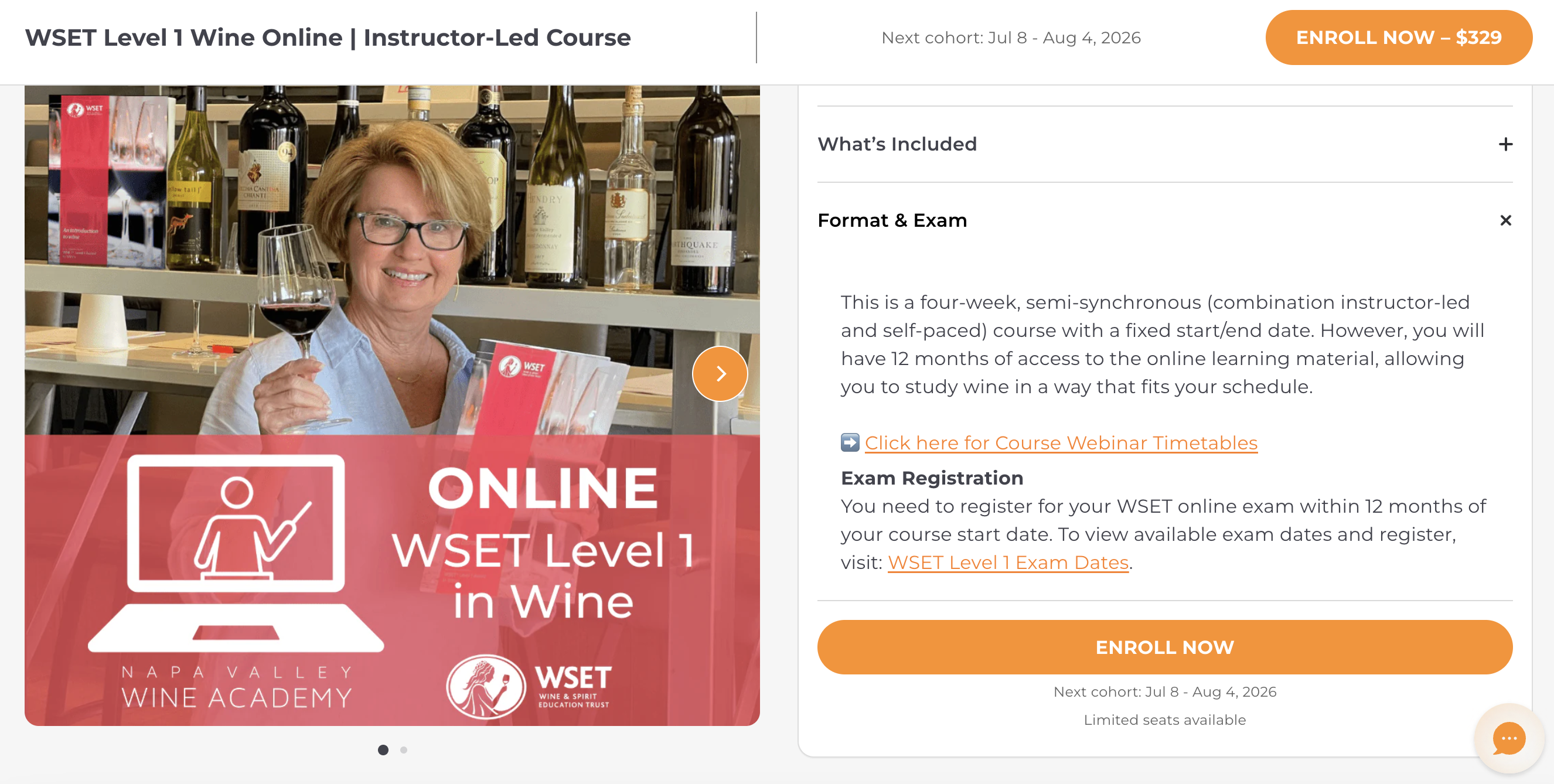
Once you have enrolled for a course, you can find the webinar schedule within your online course. Attending the live webinars is optional but highly recommended. Please, got to learn.napavalleywineacademy.com:
- Go to Courses / Select the course
- On the left side menu, select Course Welcome / Webinars
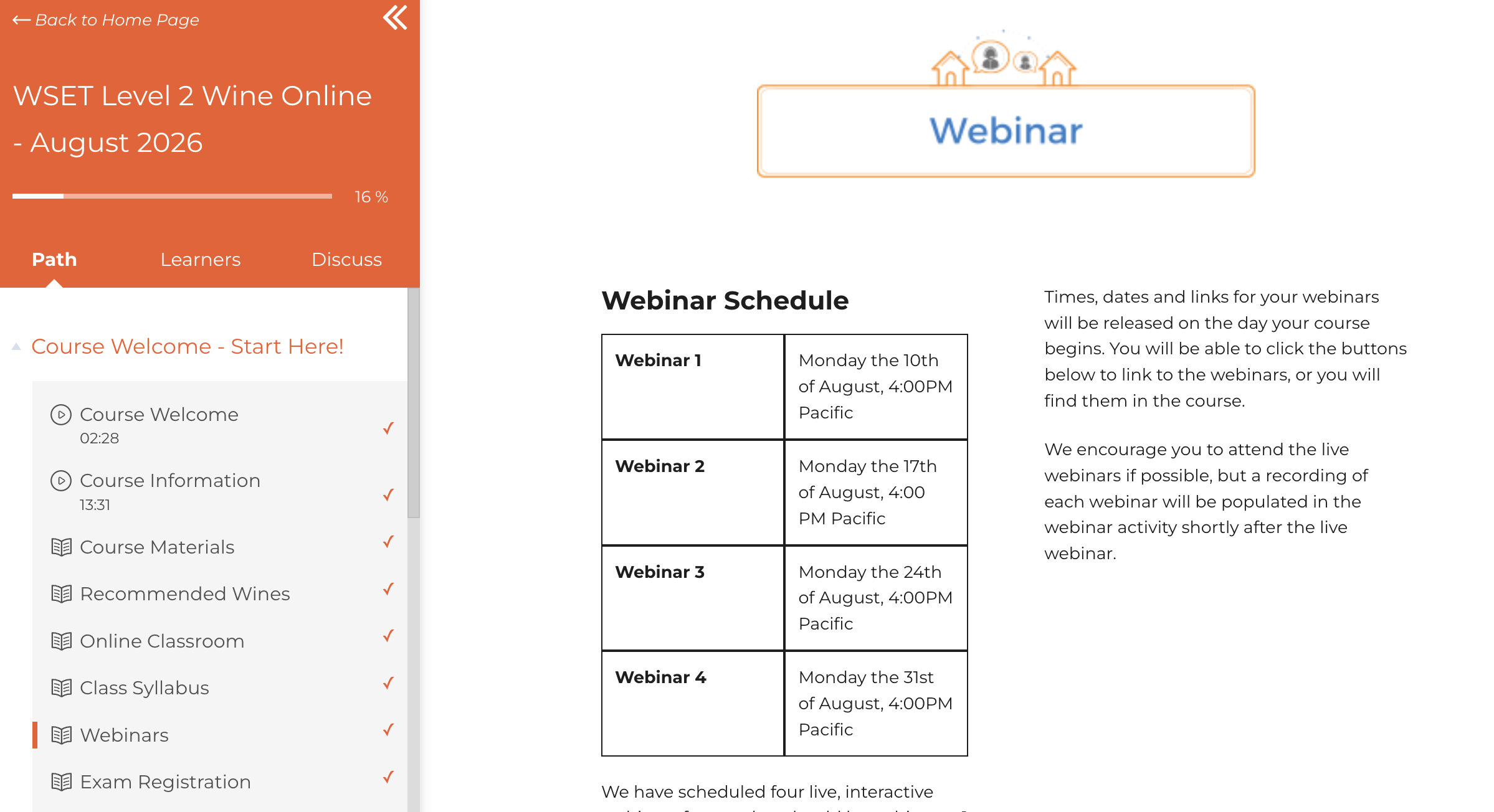
- To join a Live Webinar or watch the recording, go to the relevant Week section and select the webinar e.g. “Week 1 Webinar” as shown below
- If you missed the webinar, you can find the recording in the same place within your course soon after the webinar is finished
If the webinar schedule doesn't work for you or you want more flexibility, you can choose WSET Level 2 On-Demand options, which is fully flexible, no scheduled webinars or Instructor-led online course, which has different schedules for each course but they are all recorded and you 12 months access to the course.