
WSET Online Exam: Day of Exam Best PracticesUpdated 5 months ago
✅ On your exam day >0 days:
Ensure your exam location is set up to meet WSET's invigilation requirements. If you need a recap, watch this video on Online Exams with WSET.
You should have received the Exam link from [email protected] 3 days before your exam. Don't click the link before your scheduled exam time. At the scheduled exam time, click on the link and follow the prompts. If you have any issues, please contact WSET Global's support team via chat and let them know if you are having any issues or need assistance.
Note: You will be asked to complete a systems check also at the beginning of your exam but this does not impact your total exam time. The exam time will start once your system check is complete.
Note: You will be asked to complete a systems check also at the beginning of your exam but this does not impact your total exam time. The exam time will start once your system check is complete.
💡Best Practices
- Complete the system check as early as possible, at least 7 days before exam in case you encounter any issues. Please note, If you reach out for assistance within 3 days of the exam, WSET may not be able to assist you.
- Ensure the location where you are taking the exam at is free of any wine related items or decorations. Cover pictures that have visible wine maps or images. Watch this WSET's video on how to get your exam location ready.
- Use personal device with a personal Wi-Fi connection as VPN connection for business may cause issues.
- Clear your desk of any items including pens and notes. You are not allowed to write any notes during the exam. You can have a clear water glass on your desk.
- If you have a second monitor, cover it with a towel or sheet.
- Set your secondary device (typically mobile phone) far enough on your side or behind you, so that invigilators can see the location around you when taking the exam and your entire desk.
- Set your devices to flight mode. If Wi-Fi calls are enabled and there are bypasses under the do not disturb mode for favorite contacts, those calls may come through while do not disturb is on. To change these setting on the iPhone, go to settings –> focus –> do not disturb –> change the people under “allow notifications” your devices are on flight mode.
- If there are other people in the location, put a “DO NOT DISTURB” note up to prevent anyone from entering the location during the exam.
- Ensure your ID shows clearly when taking a picture of it.
- You will be asked to conduct the System check again when you begin the exam. Follow the prompts carefully and don't rush as this does not take time away from your exam. You will still get full 45 min for Level 1 and 60 min for Level 2 exam.
- If you encounter any technical problems during the exam, don't worry! WSET's support team is available to help you via online chat within the exam window. If you lose the connection, please fill out this form for WSET with details of the technical issue. NVWA will follow up with you on the next steps as soon as we have received guidance from WSET.
- What if you were unable to complete your exam? Notify your APP and immediately submit a RI Issue form.
Please, click here to watch the video "Exam Setup – Video Guide" demonstrating the steps you will undertake to set up your WSET online exam on your scheduled date.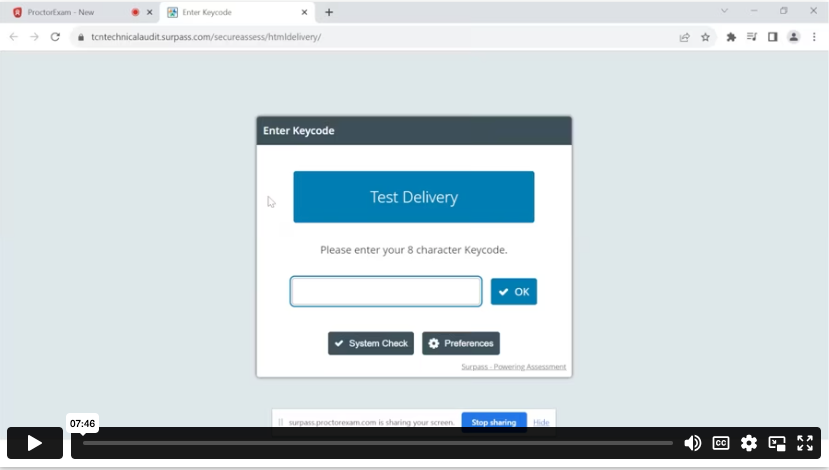
❓Post-exam:
After submitting your exam, you will receive a message confirming that the exam has ended. This serves as confirmation of successful completion. If however, you experienced any problems during the exam or are unsure if it was successfully completed, please report the issues via this link WSET GLOBAL ONLINE EXAM ISSUES FORM within 7 days of your exam. WSET Global typically responds to the reported issues within 10-15 business days. Once they have reviewed your case, we will reach out to you via email to guide on the next steps.
If you missed your exam or your exam is within 30 days but you can't attend, you can reorder it via your online course Course Welcome / Exam Registration / Exam Management page.
Additional Resources:
HELP! I have a problem during System Check or on Exam Day
WSET Online Exam: System Requirements?
WSET Online Exam: How to Get Ready?
WSET RI Issue Form for reporting any online exam issues